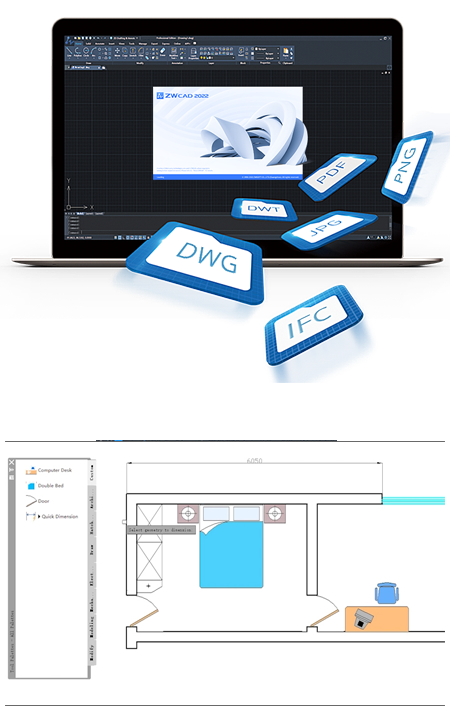
ZWCAD

Self-Developed 2D CAD Platform
Description
Zero Switching Costs
-
Seamless DWG Compatibility
Reading, saving, and sharing drawings are guaranteed to be lossless and easy
-
Familiar Interfaces
You are free to choose from the familiar Classic and Ribbon interfaces
-
Easy-to-Use Commands
Get started immediately with the intuitive CAD commands and alias
Features
-

Barcode & QR Code
Convert information into barcodes or QR codes and embed them in the drawing
-

File Compare
Spot the differences between two drawings at once
-

Undo Snapshot
Preview and go back to any of the previous steps
-

Tool Palettes
Drag and use mechanical, architectural, electrical blocks; store custom blocks
-

Settings Migration
Migrate customized settings from earlier versions (ZWCAD 2018/2019) to the latest version
-

Digital Signature
Ensure original and reliable source of drawing data
-

Data Extraction
Create and update tables made with data of objects for better data organization and analysis
-

Express Tools
More handy drawing tools are available
-

Super Hatch
Hatch with blocks, Xrefs, images, etc.
-

Layout Export
Export visible objects from the layout to the model space
More Functions
2D Drafting
-
Auto-Complete Command Input
-
Attribute Blocks
-
External Reference Manager
-
Revision Cloud
-
Blocks
-
MText
-
Zoom and Pan
-
Cycle Selection
-
MLeaders
-
External Reference
-
Images
-
Layer Properties Manager
-
Associative Dimension
-
Table
Advanced Tools
-
Lisp Debugger
-
PDF and DWFx Underlay
-
Quick Calculator
-
Match Property
-
Object Isolation
-
Insert OLE Objects
-
Block Attribute Manager
-
Annotative Objects
3D Features
-
Modeling
-
Viewing
-
Visualizing
Output
-
Print with STB/CTB Plot Style
-
Print or Publish in Other Formats
-